

TreeEdit
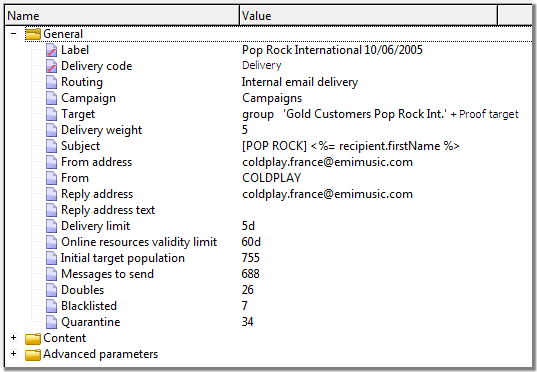
Control to view and edit various values grouped in
various categories.
Properties
backColor - string
Background color (btnshadow, white).
border - string
Changes the control outline style (solid, double,
inset, outset, none).
editable - string
Autorizes the modification (true by default).
font-size - integer
Changes the font size.
label - string
Associated label.
noImage - string
Hides the images of the elements in the list.
nolabel - boolean
Hides the associated label.
readOnly - boolean
Forces the control to read only.
Remarks
Properties of sub-elements
- visibleIf : an XTK condition to display or hide the element.
- label : label of the element.
- exprLabel : label of the element in the form of an expression.
- xpath : XPath of the element.
- img : Image of the element.
Properties of the input sub-elements
- editable : Editable value. The default value is inherited from the root element.
Properties of the container sub-elements
- collapsed : true|false Displays or hides sub-elements.
Example:
<input nolabel="true" type="treeEdit">
  <container label="Text fields">
    <input xpath="@text1"/>
    <input xpath="@text2"/>
    <input xpath="@text3"/>
    <input xpath="@text4"/>
    <input xpath="@text5"/>
  </container>
  <container label="Boolean fields">
    <input xpath="@boolean1"/>
    <input xpath="@boolean2"/>
    <input xpath="@boolean3"/>
  </container>
</input>